Pull my production site into the staging site
- On your My Products page, next to Managed Hosting for WordPress, select Manage All.
- For the website you want to pull into staging, select Settings from the
 menu.
menu. - In the Staging Site section, select Actions and then select Sync Sites.
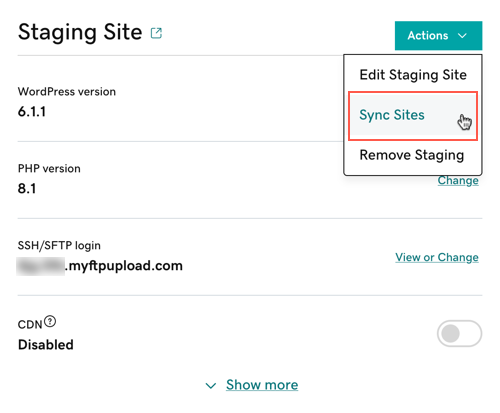
- Select Pull production to staging.Note: Choose to Overwrite content if you're syncing your sites for the first time or if you're certain you want to overwrite the staging site database. If you do not choose to Overwrite content, only files will be pulled into staging.
- Select Sync.


Syncing your staging site from your production site may take a few minutes based on the size and complexity of your site.

No comments:
Post a Comment
Feel free to leave a comment! If you have any information that you think should be included, please do so here and I'll get it added in.